
 EN
EN  FR
FR 
You are freelance, Microbusiness or SME ? This plugin will make your life easier!
Manage your online shop's accounts in WooCommerce in just a few clicks with this WooCommerce accounting export plugin.
No complex and costly synchronisation: Generate directly your accounting exports to the main accounting softwares : CIEL, EBP Comptabilité, Cogilog, GNUcash, Isagri, respecting the accounting plan of your enterprise - analytic accounting included..
WooCommerce Accounting also allows you to export CSV files according to different VAT rates.
Establish a simple or detail accounting, adapted to your needs.
Your simplified accounting
Define only general codes for each type of accounting information: products, taxes, shipping costs, payment methods, accounting ledger, cost accounting.
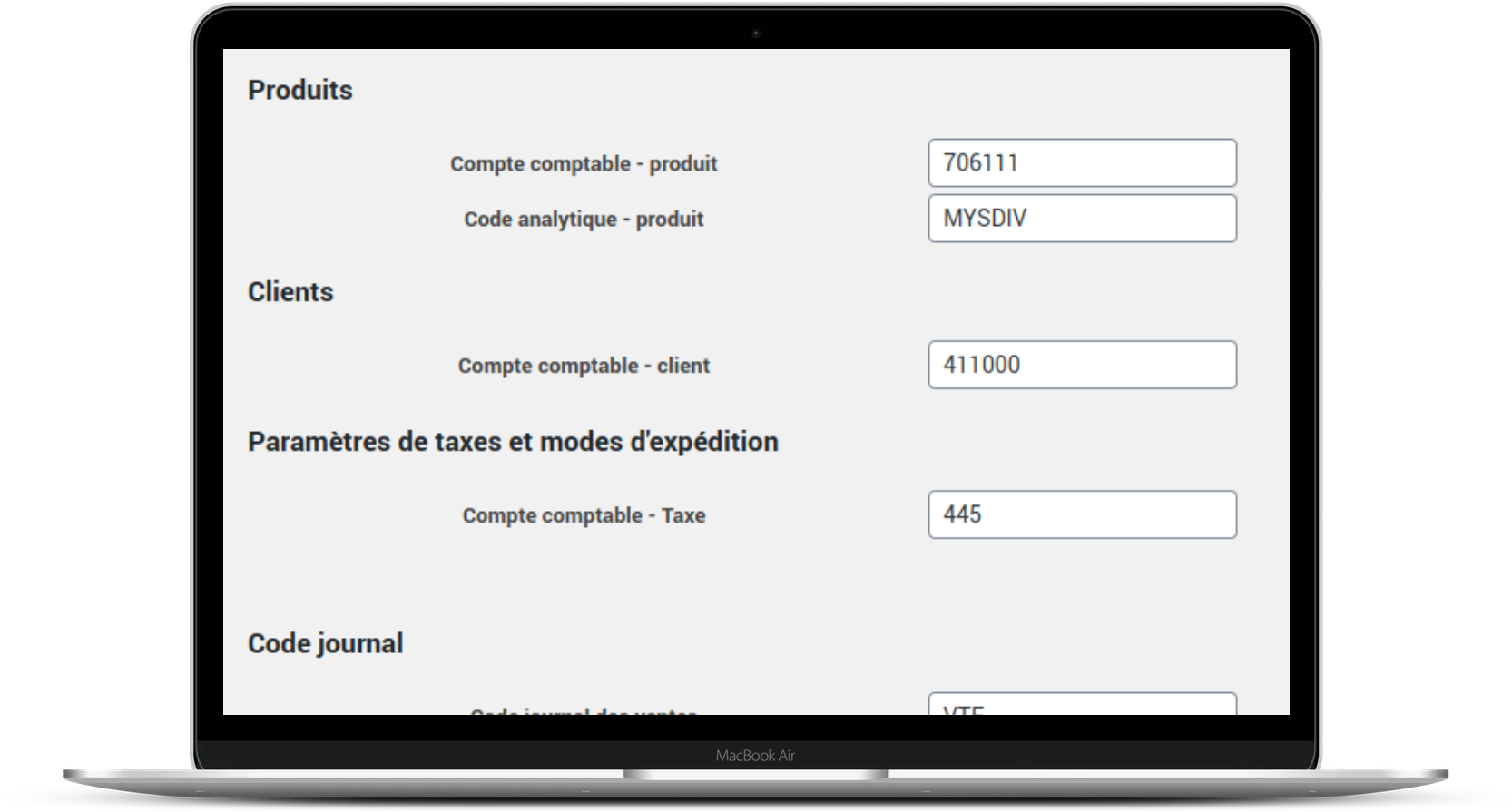
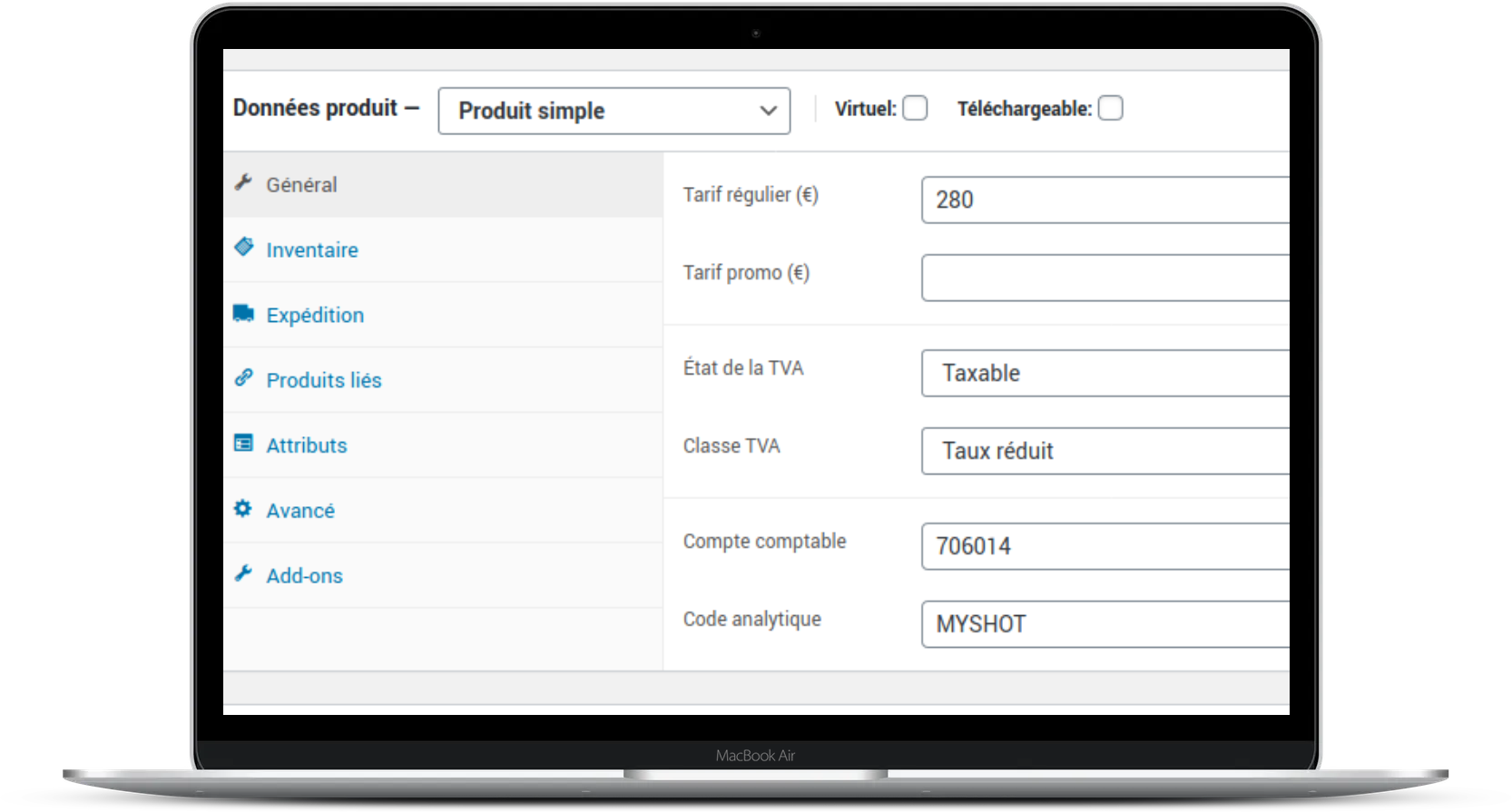
Your accounts in detail
Need to integrate your detailed chart of accounts? Define detailed accounting codes for each product, taxes, shipping costs, payment methods, accounting ledger, and cost accounting codes.
Export whatever you want to wherever you want!
- Export to leading market solutions: CIEL, Cogilog, EBP Accounting, GNUcash
- Export your assets and orders, by payment type, status, date(s), etc. .
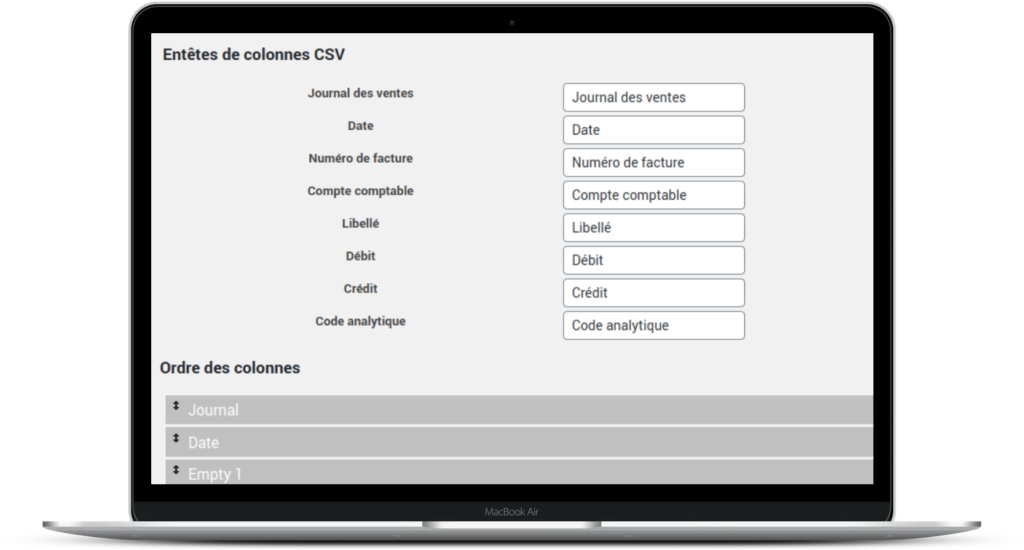
- Export all the fields you need for your accounting: invoice number, discount coupon, payment, order items, shipping type, VAT type, etc.
- Need a specific export? configure your export field by field to adapt it to your software.
A highly compatible plugin
This WooCommerce accounting export plugin is optimised to work with:
- Paybox WooCommerce Payment Gateway (via the addon Bank journal plugin)
WooCommerce PDF Invoices & Packing Slips
- adds financial transaction lines for Paybox remote collections
1 year licence
They use this WooCommerce accounting export plugin!


Would you like more information?
FAQ : Your questions, our answers on Woocommerce Accounting plugin
Hello, I have just purchased the suite. Do you have a French translation file that I can include so that I can use the software in French?
Thank you for your purchase!
Here you will find instructions on how to download translations: https://savoir.avecnous.eu/obtenir-nos-extensions-premium-en-francais/
How can I get the "accounting export" extension to work on a website?
First, ensure that your site has the free version. Next, check that the free version is activated. If the free version is not installed and activated, the plugin will not work.
I have purchased one of your plugins. How can I obtain and benefit from updates?
We will notify you of updates and their availability by email. Before sending our email, we will reset the plugin's download rights so that you can benefit from the update free of charge for one year. To obtain the latest version of the plugin, log in to your customer area on our website, then go to the ‘download’ tab to obtain the latest version of the plugin.
I purchased WooCommerce Accounting. How do I export my different VAT rates?
For VAT management, you can declare the different VAT rates in WooCommerce as explained here: https://woofrance.fr/guide-utilisateur-woocommerce/2-options-et-parametrage-de-woocommerce/options-des-taxes-tva/
You can then go to the WC Accounting settings: WooCommerce > Setting > Accounting > Taxes and delivery options to define the account number specific to each VAT rate.
The procedure is identical if you wish to set up different accounts corresponding to the different types of delivery you offer.








Reviews
There are no reviews yet.