
 EN
EN  FR
FR 

Rediscover EventPost and its many features for promoting your events
Publish and display any post to turn it into a timeline, a map or an events calendar.
Customise the layout of your events just the way you want with the 5 Gutenberg blocks, which offer a wide range of settings and layout options. Create your pages and templates quickly and easily. Ultra-lightweight, open-source and free, this plugin is just waiting for you – mark your calendars!
The benefits of a multi-view extension
Whether you want to use all the presentations or just one, the extension has you covered.
5 layout modes
Event geolocation
Multisite compatible
Rich documentation
Advanced customization
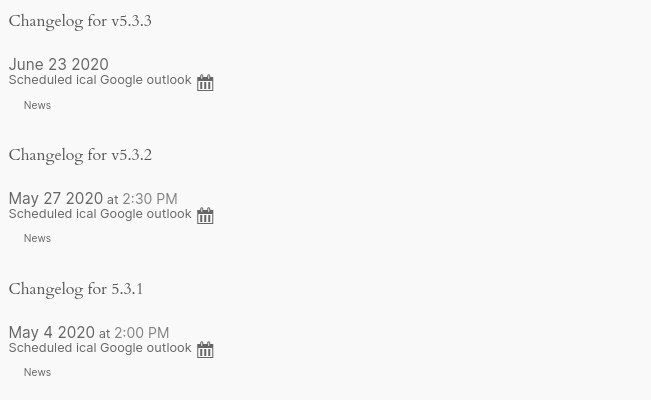
Data exports
(ical (.ics), outlook (vcs) , Google agenda)
Use cases
Events
• Events calendar
• Artistic tour
• List of participants
Planification
• Team-based shared organiser
• Annual events calendar
• Upcoming events
Meeting materials
• Liven up your meeting with a timeline of events
• List of projects over a period
• Company history
• Introduction to team members
Data formatting
• Interactive layout of past and upcoming events with geolocation
• Overview of activities carried out over the course of a year
• Database of geolocated testimonials
The 5 Gutenberg blocks to maximise the layout of your content and templates
Format any post on your website using different view modes.
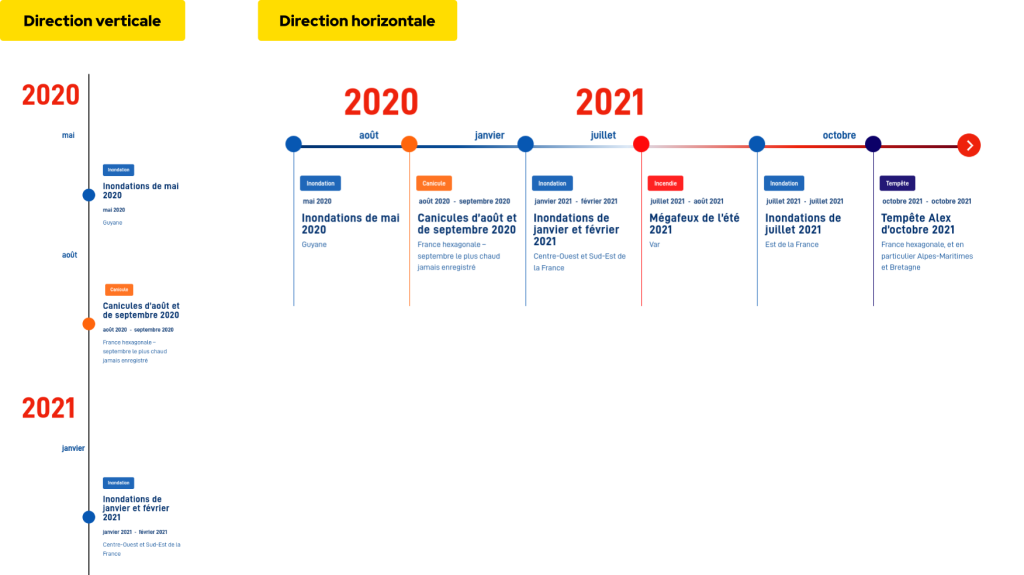
Event Timeline
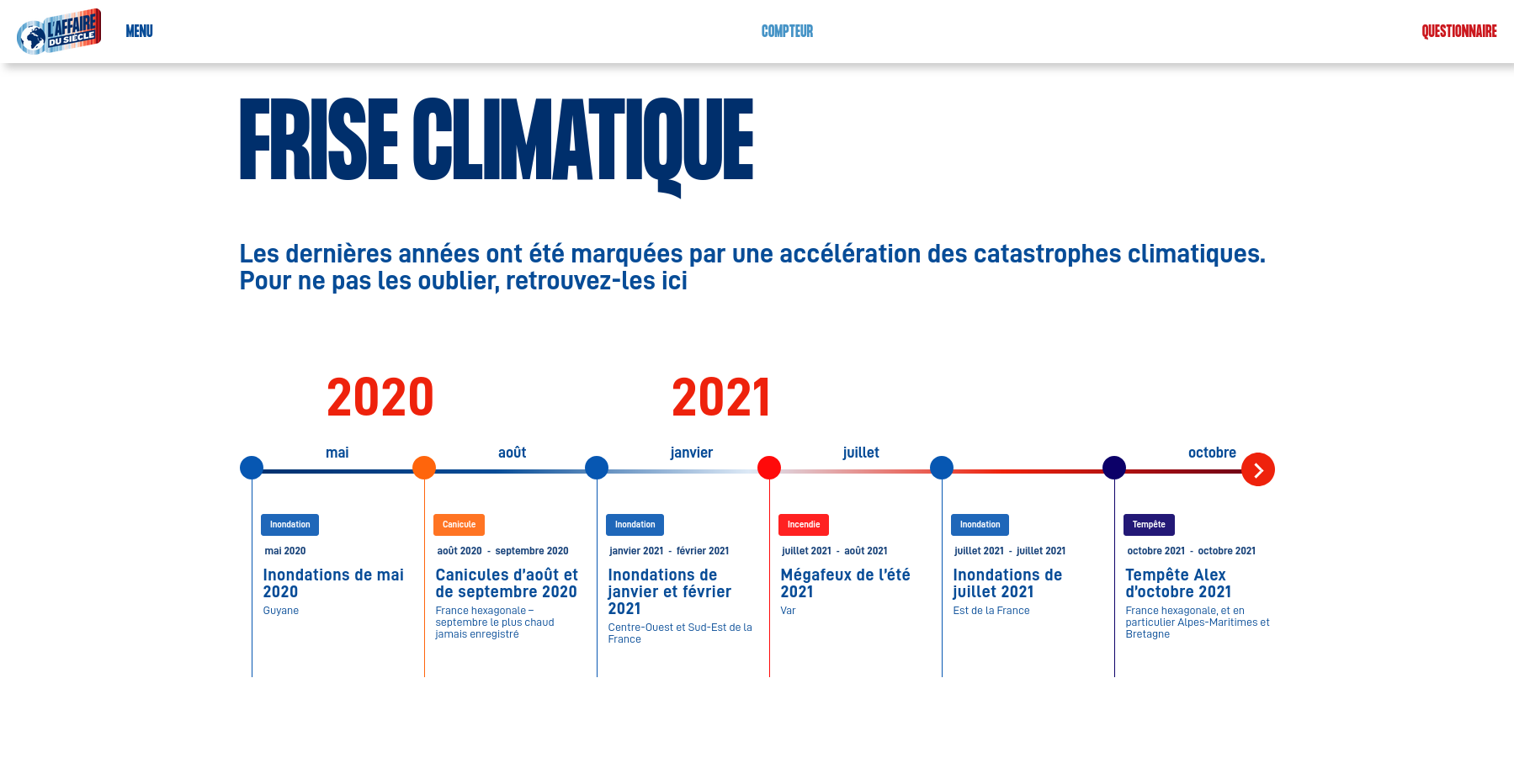
Creation of a multi-directional timeline:
• Choice of horizontal or vertical orientation,
• Display years and months,
• Responsive display management,
• Whether or not to make the event clickable,
• A dedicated page containing more or less detailed information.
Event Map
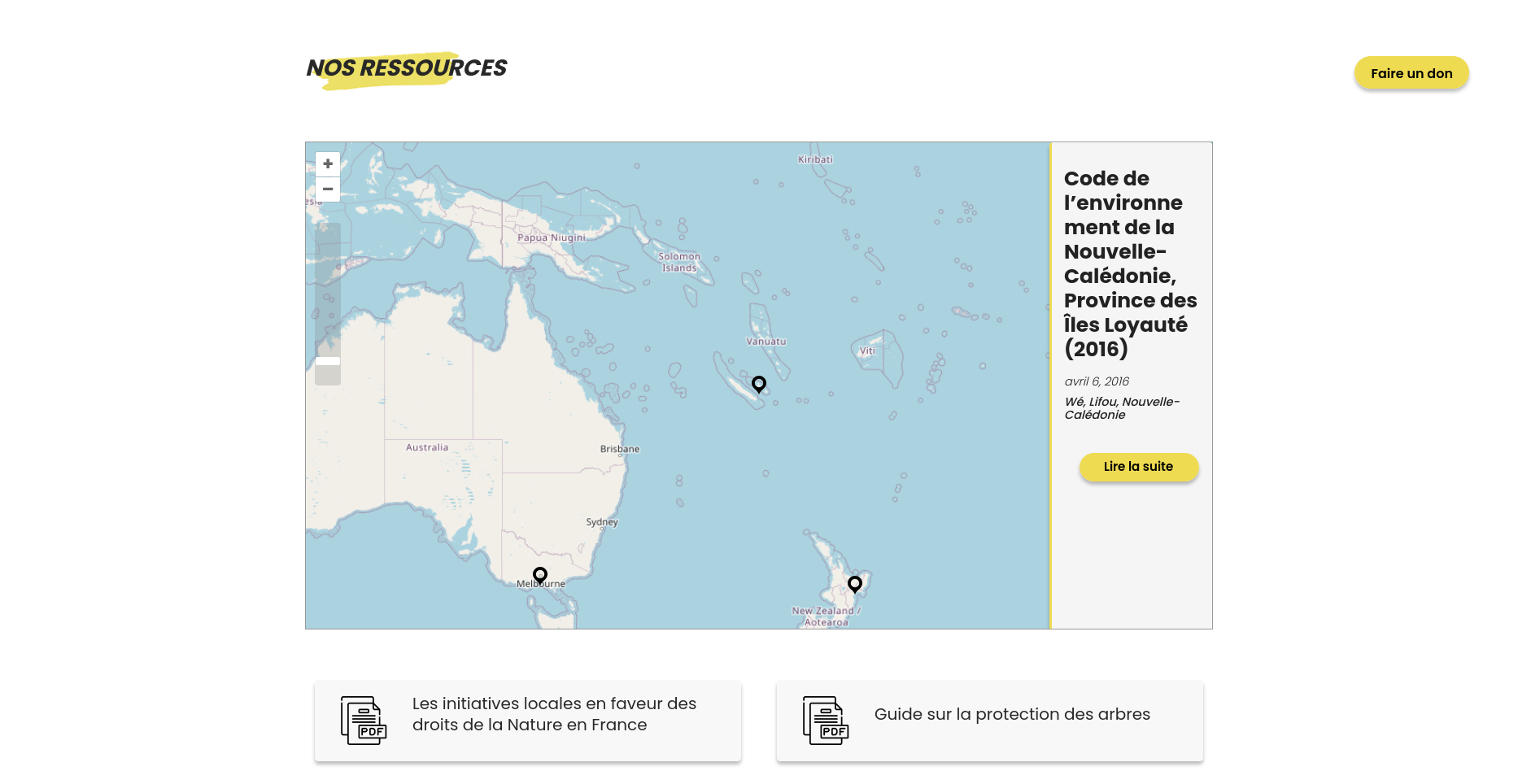
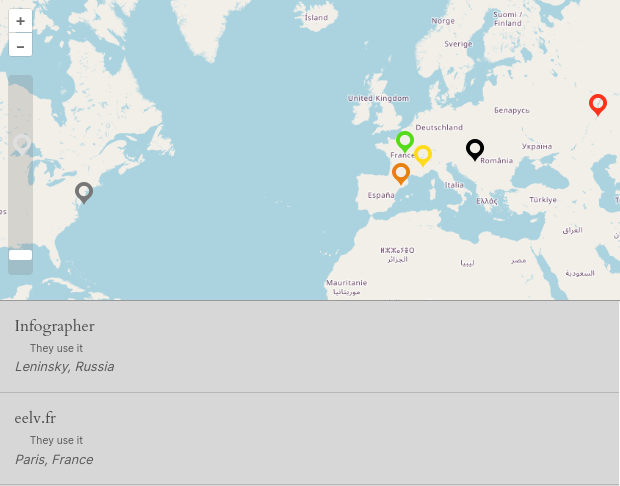
Create a map of geolocated events by filling in the date and geolocation fields in the post settings.
• Choosing a colour to distinguish them,
• A pop-up displaying information on the map (selection of location),
• A dedicated page containing more or less detailed information.
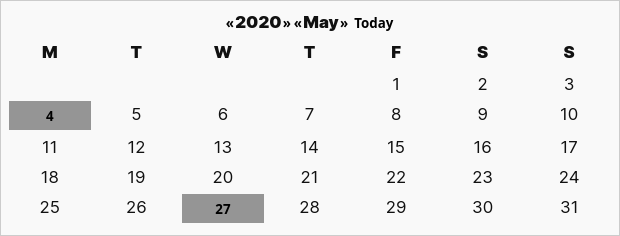
Event Calendar
Display a calendar of your events on your website.
• Specific date,
• Choosing a colour to distinguish them,
• Whether or not to make the event clickable,
• A dedicated page containing more or less detailed information.
Event List
It can be added on its own or as a supplement to a card, for example.
• Choosing a colour to distinguish them,
• Whether or not to make the event clickable,
• A dedicated page containing more or less detailed information.
Event Details
Display the details of an event in the order you wish, so you can arrange them as you like. Display all the information about your event, or split the information into sections.
☀️🌤️ Add the weather forecast to all your events! ⛈️🌨️
Good event planning takes the weather into account, the better informed you are, the better you can adapt.
Technic documentation
For developers who wish to take the customisation of the module for their project a step further, here are some links you might find useful:
EventPost Document Portal
Shortcodes and hooks
Classes and functions
Examples
Simple installation and configuration
Installing EventPost does not require any advanced technical skills:
Download and activate
The EventPost : from WordPress library or the ZIP file in your account. The extension is pay-what-you-want!
Settings
Adjust the settings in the side menu under Settings > Events. Read complete documentation.
Add Gutenberg blocks
Create your layouts using the Gutenberg blocks of your choice on your pages, posts or templates: arrange, move, customise, get creative!
Create your events
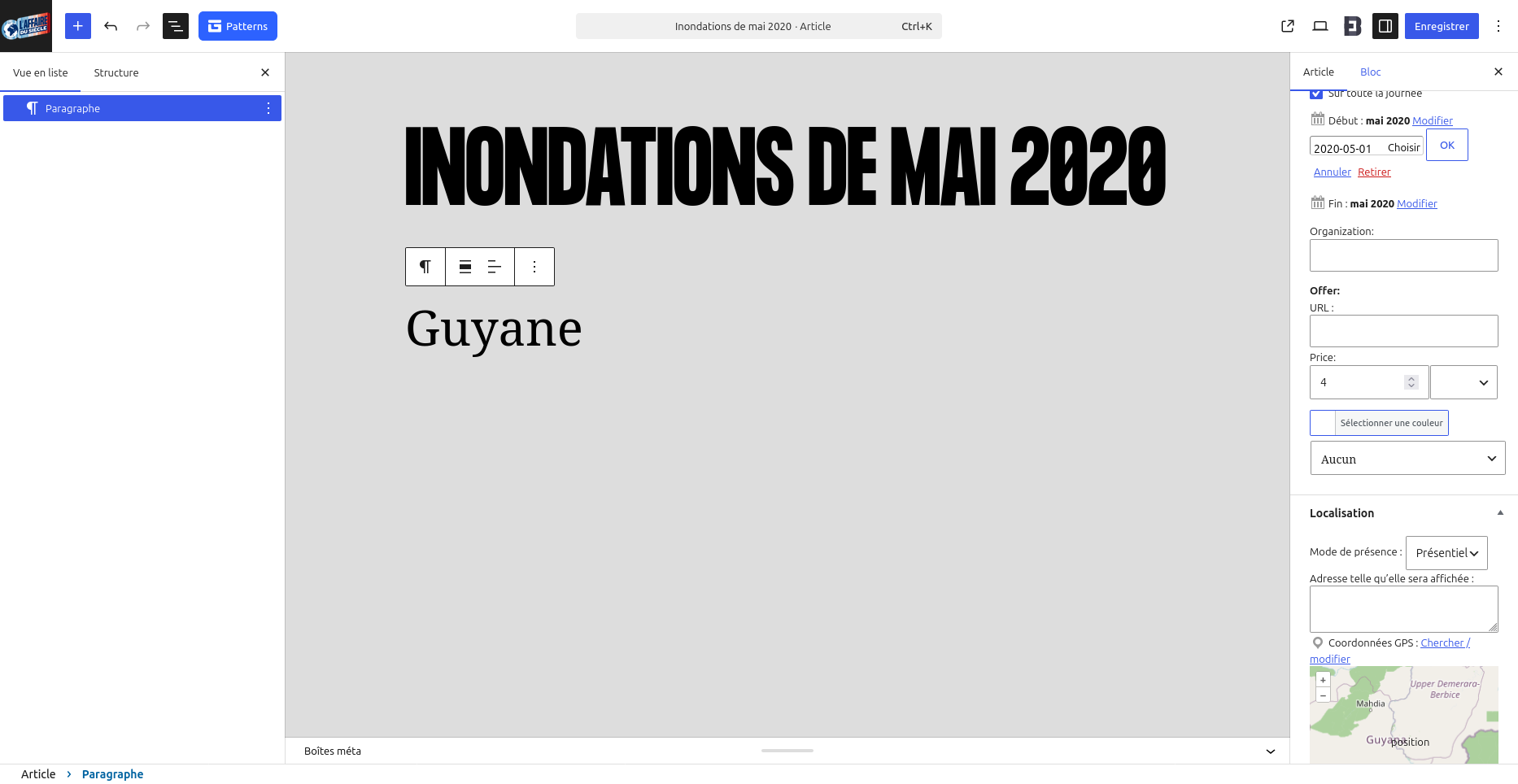
Once you have specified in the settings which types of posts will be treated as ‘events’, you can create your content and fill in all the necessary details, including dates and location.
Advanced customization
You can override style from each block associating a CSS class to your blocks defining a specific stylesheet.
For developpers who wish to adapt the extension even further to their project, we have a technical documentation for you: view technical doc and API doc.
Overview of the extension in pictures
Updates and technical support included for 1 year
The EventPost plugin includes a one-year licence that gives you access to all product updates and technical support via email. This means you benefit from an up-to-date event management solution and always have help at your fingertips when you need it. If you wish to continue receiving updates after one year, you can renew your licence at half the purchase price.
In summary
EventPost allows you to lay out your events in different ways: maps with geolocation, a calendar, a timeline, a list, details and even a weather forecast! Geolocation is powered by OpenStreetMap and the weather service by OpenWeather. Everything is set up to let you maximum freedom in terms of layout of your posts, whether they are articles, pages, media, custom post types or many others. Work with your data and give them the ideal layout on your pages and templates. You’ll also be able to export all your events in iCal (.ics), Outlook (VCS) or Google Calendar format.
Would you like to know more ?
Come to view product sheet !
You are using our plugin and you have questions ?
Read ou online documentation and FAQ
In the same category
-

New feature for FAQtastic 1.4.0!
Question suggestion option: Other improvements. Would you like to find out more? Take a look at the product page! Are you using our extension and have any questions? Check out our online documentation and FAQs. Our articles on…
-
New update for EventPost 6.1.0
Améliorations de la frise chronologique : Améliorations du calendrier : Corrections : Vous souhaitez en savoir plus ? Venez voir la fiche produit ! Vous utilisez notre extension et vous avez des questions ? Consultez notre documentation en ligne et FAQ…
-
Rediscover EventPost and its many features for promoting your events
The benefits of a multi-view extension Whether you want to use all the layouts or just one, the extension covers all your needs. Use cases: The 5 Gutenberg blocks to maximise the layout of your content and templates Format any…