
 EN
EN  FR
FR 

Discover IRIS: your platform for collecting ideas and conducting surveys
Create and manage your surveys, from your WordPress site right through to sending out emails.
Were you looking for an alternative to TypeForm or any other service to manage your surveys? This tool guarantees your data sovereignty and the anonymity of your participants, whilst providing you with all the tools you need to manage and analyse your surveys and questionnaires.
What exactly does IRIS offer?
IRIS frees you from reliance on survey platforms such as TypeForm or similar services. You regain control over your data and ensure the anonymity of your participants. You can manage the creation of your questionnaires, your groups, your email campaigns, follow-ups and statistics all in one place.
IRIS manages your participants’ unique tokens either via an import file for batch processing or by creating them manually.
The tool works with GravityForm to create forms, this is a flexible editor that handles conditional field settings and receives regular updates.
Advantages of IRIS
Create your surveys directly from your WordPress site
Participant and token management
Manage and schedule email campaigns
Integration with GravityForm
Analysing and exporting participation rates
Data and anonymity protected
Simple installation and configuration
The installation of IRIS requires no advanced technical skills:
Download and activate
- The plugin IRIS (from the WordPress directory or the ZIP file).
– The plugin GravityForm from ZIP file.
Customise the settings
In IRIS > Settings : customise the text of block messages and adapt the colour codes to match your brand identity.
Create groups
In IRIS > Groups : Create participant groups. You will be able to link them to your questionnaires and to your participants.
Import or create tokens
In IRIS > Importer : Import a list of participants along with your file and assign them to a group; IRIS will automatically generate tokens for each one. OR manually create a participant with their token. It is possible to set the validity dates for tokens at the time of import or creation.
Create a poll
In GravityForm > Forms : create your forms fields.
– In GravityForm > Your Forms > Settings : Assign an IRIS group to your survey.
Create a post with the poll
In Page/Post/CPT > Create a new post and drag the ‘GravityForm’ block into it, selecting your survey form. Publish!
Create email campaigns and follow-ups
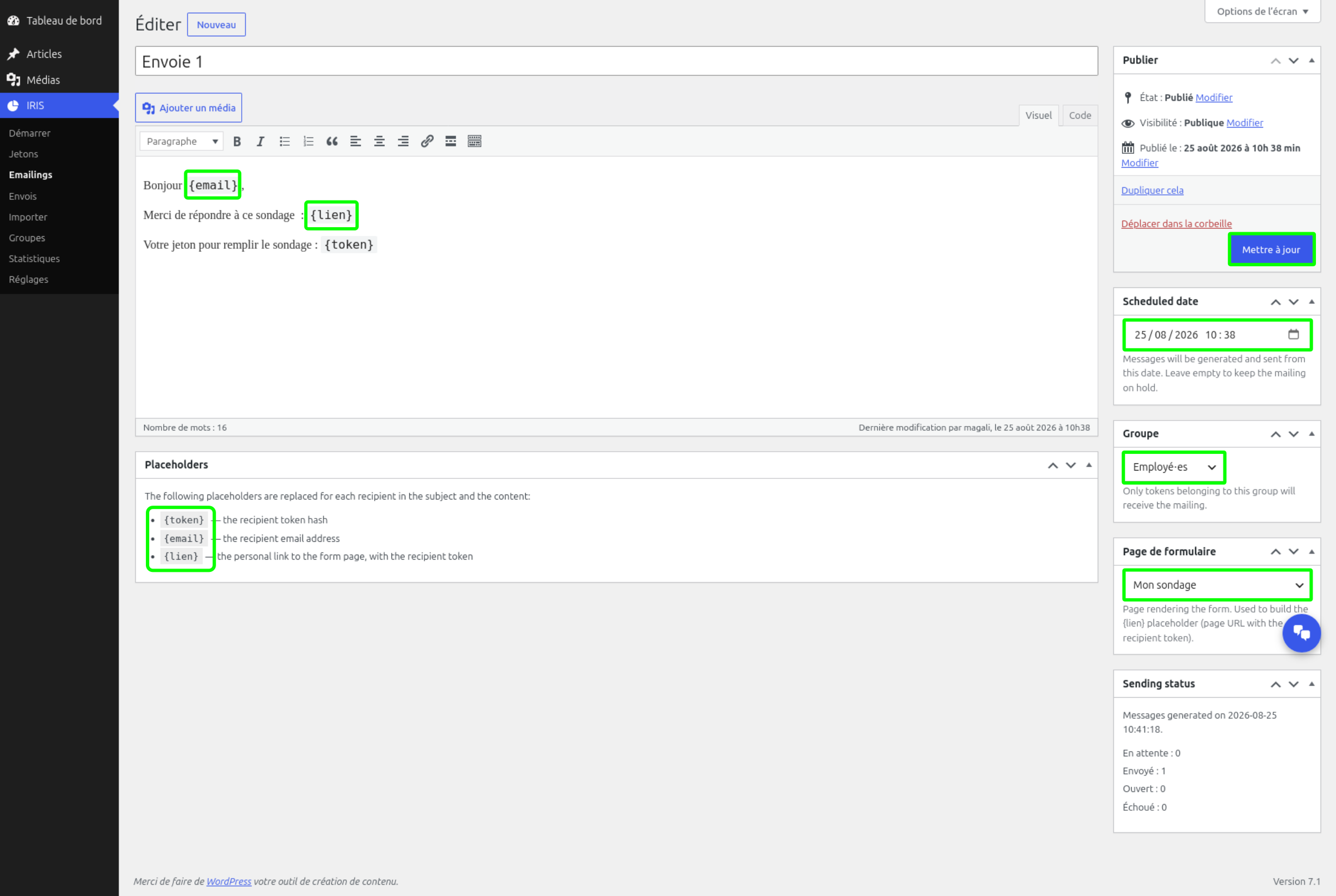
In IRIS > Emailings : create an email for each group using the available variables {email}, {link} and {token}, and schedule the send dates. Create your reminder emails straight away; IRIS will only send reminders for unused participant tokens.
View your dispatch logs and statistics
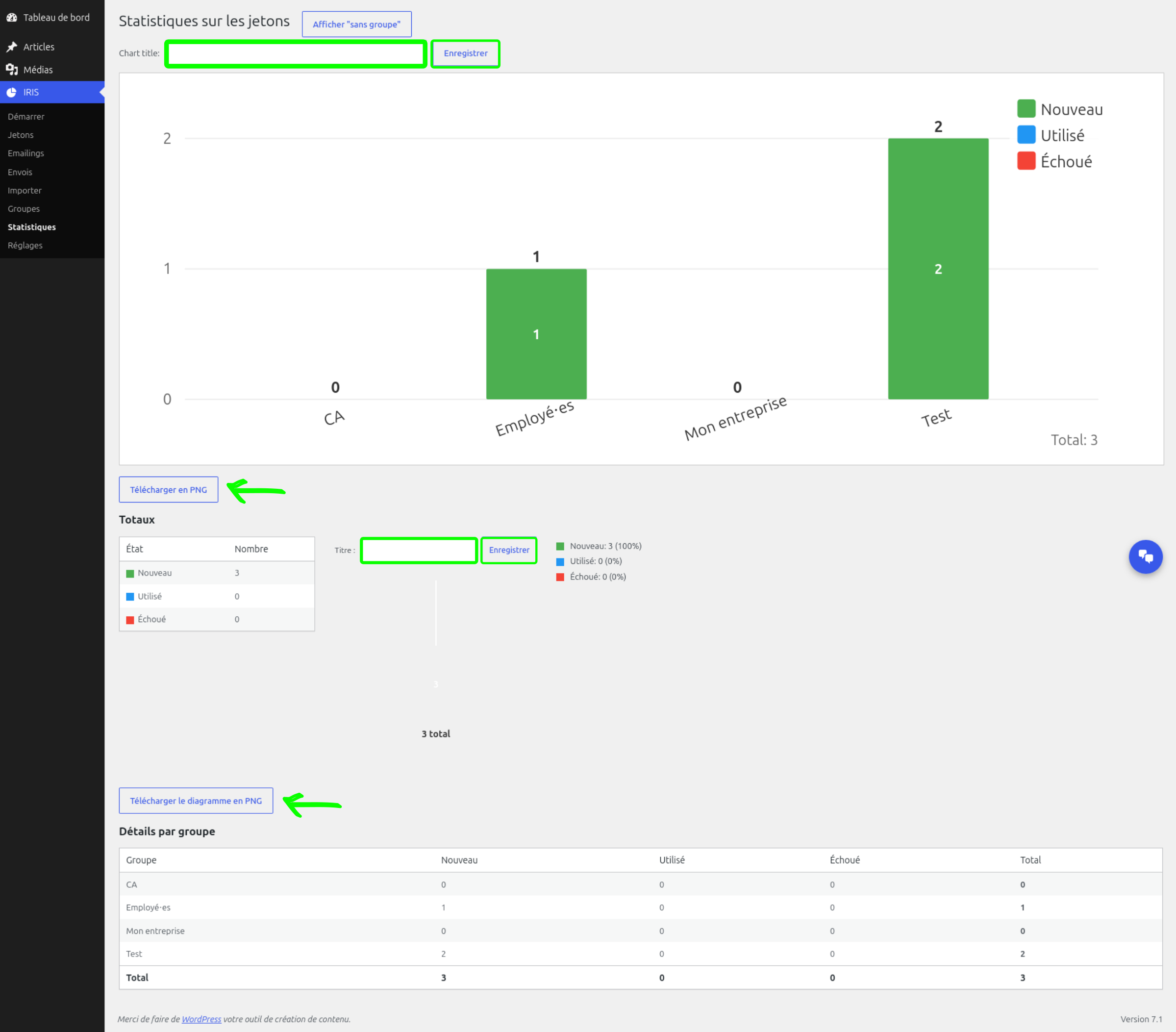
In IRIS > Mailings/Statistics, check the status of mailings and participation rates for your analyses and reports.
Overview of the extension in pictures
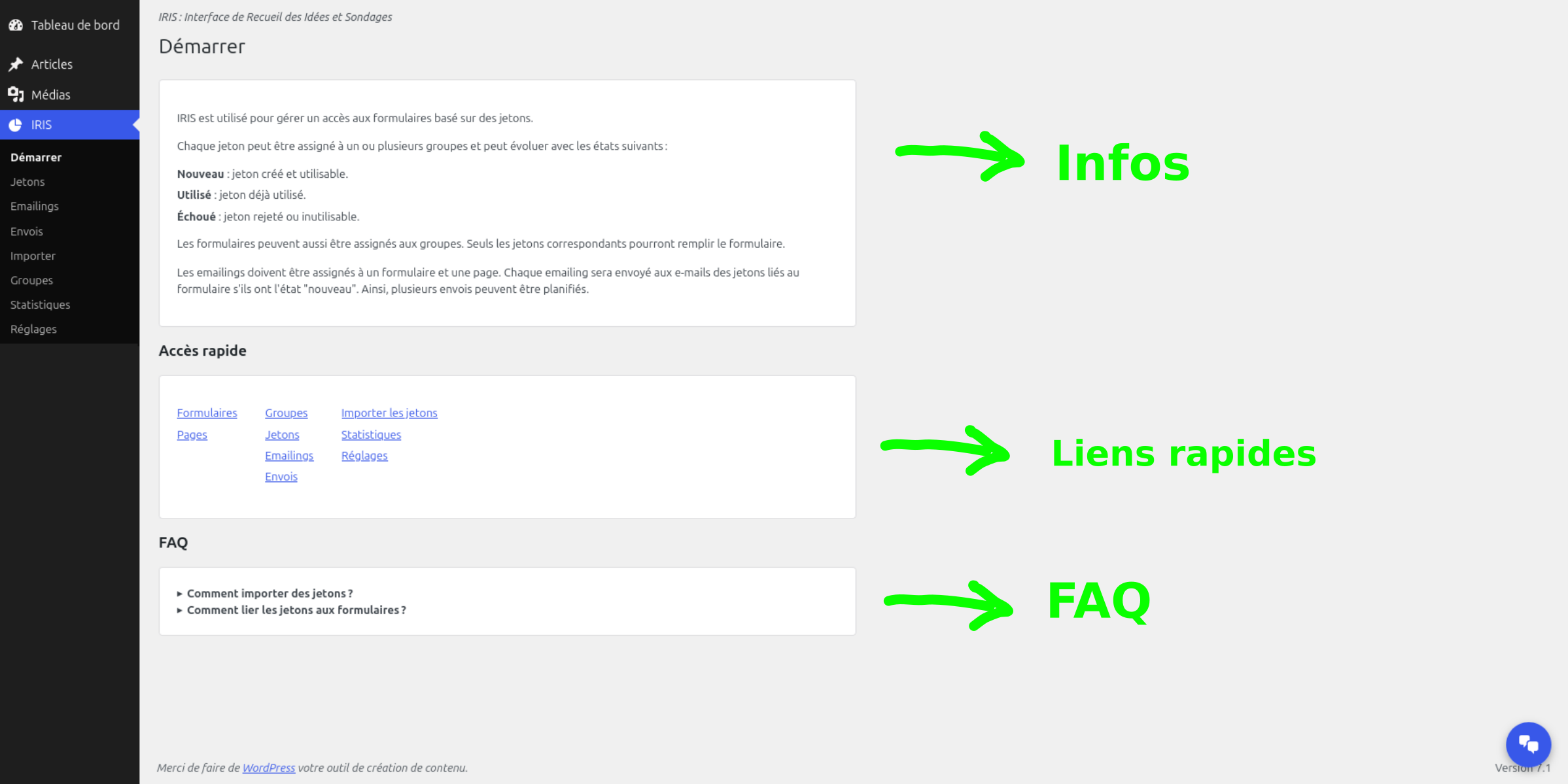
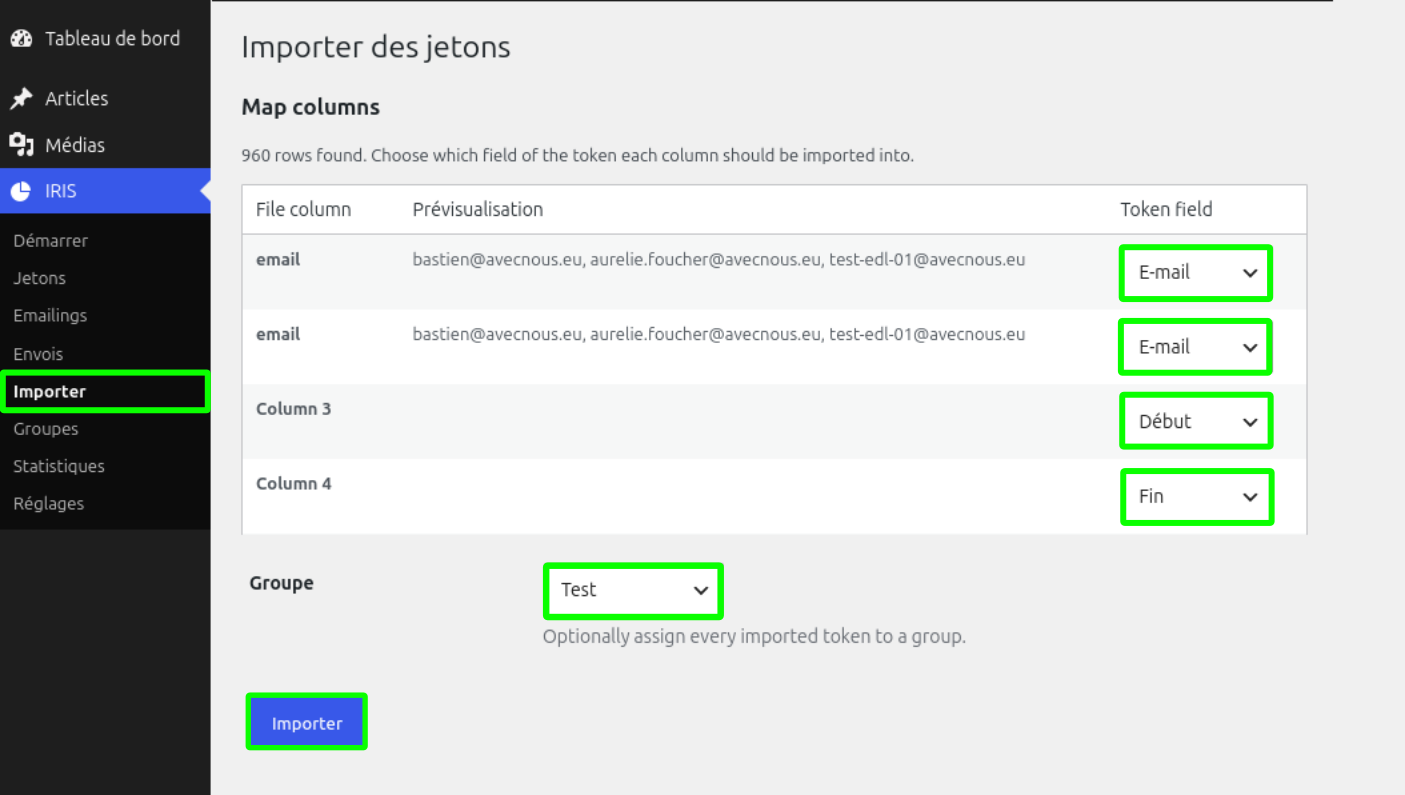
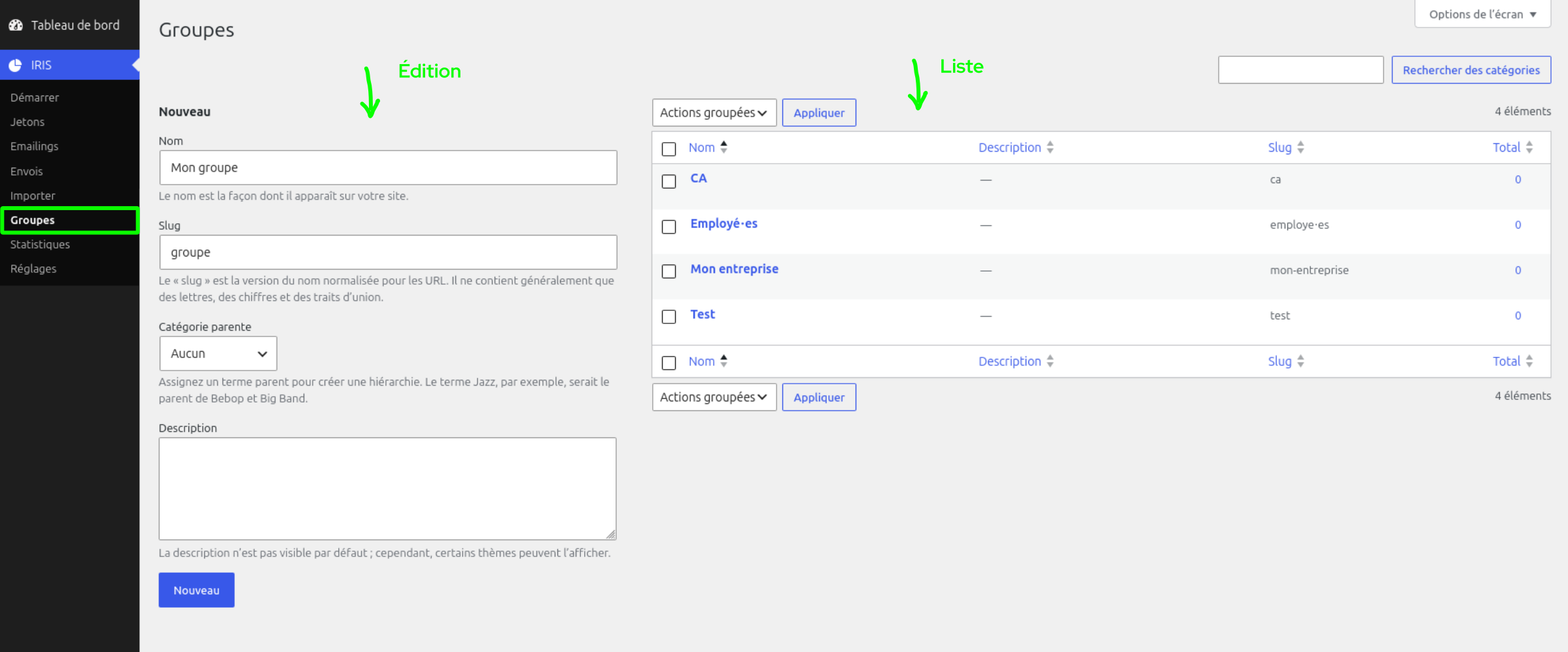
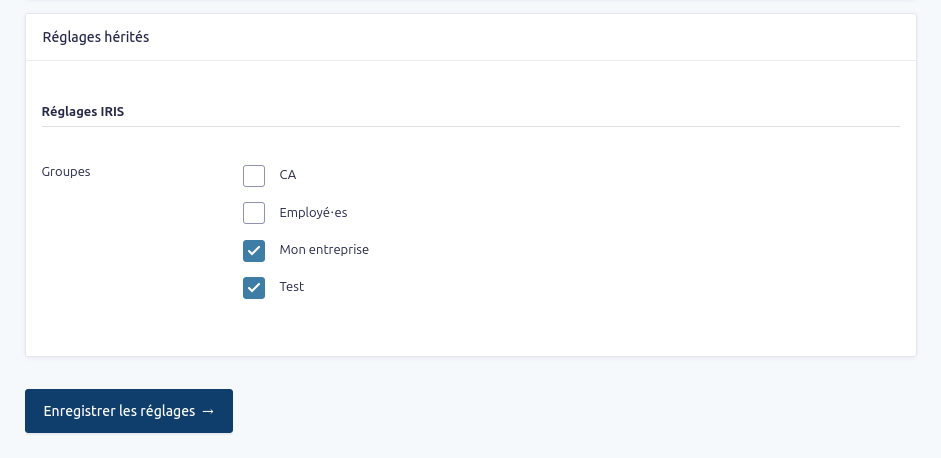
Updates and technical support included for 1 year
The IRIS plugin includes a one-year licence that gives you access to all product updates and technical support via email. This means you benefit from an up-to-date event management solution and always have help at your fingertips when you need it. If you wish to continue receiving updates after one year, you can renew your licence at half the purchase price.
In summary
IRIS is a simple, all-in-one tool that includes all the features you need to create and manage surveys. It works in tandem with GravityForms, a powerful form-building plugin offering a wide range of fields and conditional logic.
You will be able to work independently, without relying on external services, and you will be able to take full advantage of WordPress’s flexibility. Your data and the anonymity of your participants will be protected.
Would you like to know more ?
Come to view product sheet !
You are using our plugin and you have questions ?
Read ou online documentation and FAQ
In the same category
-

New feature for FAQtastic 1.4.0!
Question suggestion option: Other improvements. Would you like to find out more? Take a look at the product page! Are you using our extension and have any questions? Check out our online documentation and FAQs. Our articles on…
-

What’s new in Hello Bruce 2.0.0!
Functionality improvements: Would you like to find out more? Take a look at the product page! Are you using our extension and have any questions? Check out our online documentation and FAQs. Our articles about the extension
-
Discover IRIS: your platform for collecting ideas and conducting surveys
Que propose concrètement IRIS ? IRIS vous rend indépendant des plateformes de sondages comme TypeForm ou autre services de ce type. Vous reprenez la main sur vos données et garantissez l’anonymat de vos participants. Vous gérer en un seul endroit…