
 EN
EN  FR
FR 

How to export your WooCommerce orders to EBP Accounting with « Accounting for WooCommerce »
Do you have a WooCommerce online store and want to export your completed orders to your accounting software? Here’s how to do it!
Prerequisites: install the « Accounting for WooCommerce » plugin
Download and install « Accounting for WooCommerce », in Freemium or Professional version (paid)
General settings for your accounting plan in WooCommerce
If you use the free version of « Accounting for Woocommerce« , you can only define generic codes.
Configure your accounting codes on WooCommerce
In the WordPress administration interface, go to "WooCommerce > Settings", then to the "Accounting" tab.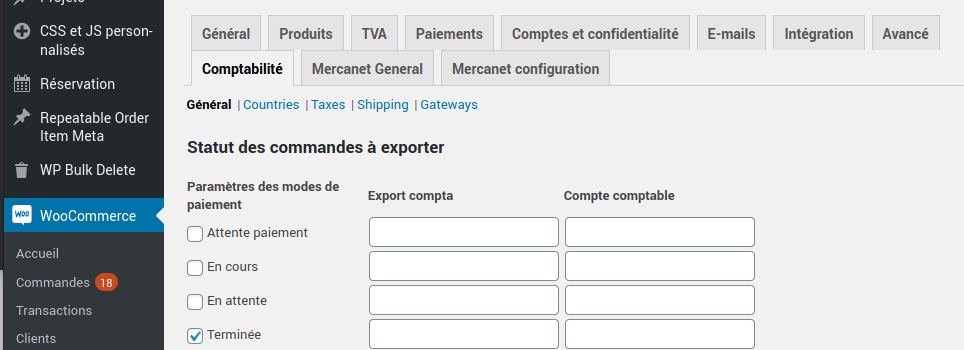
You can then define your accounting codes for each type of accounting information: products, taxes, shipping costs, payment methods, accounting book, cost accounting, depending on the payment methods, order status etc.
1.2. Status of orders to be exported
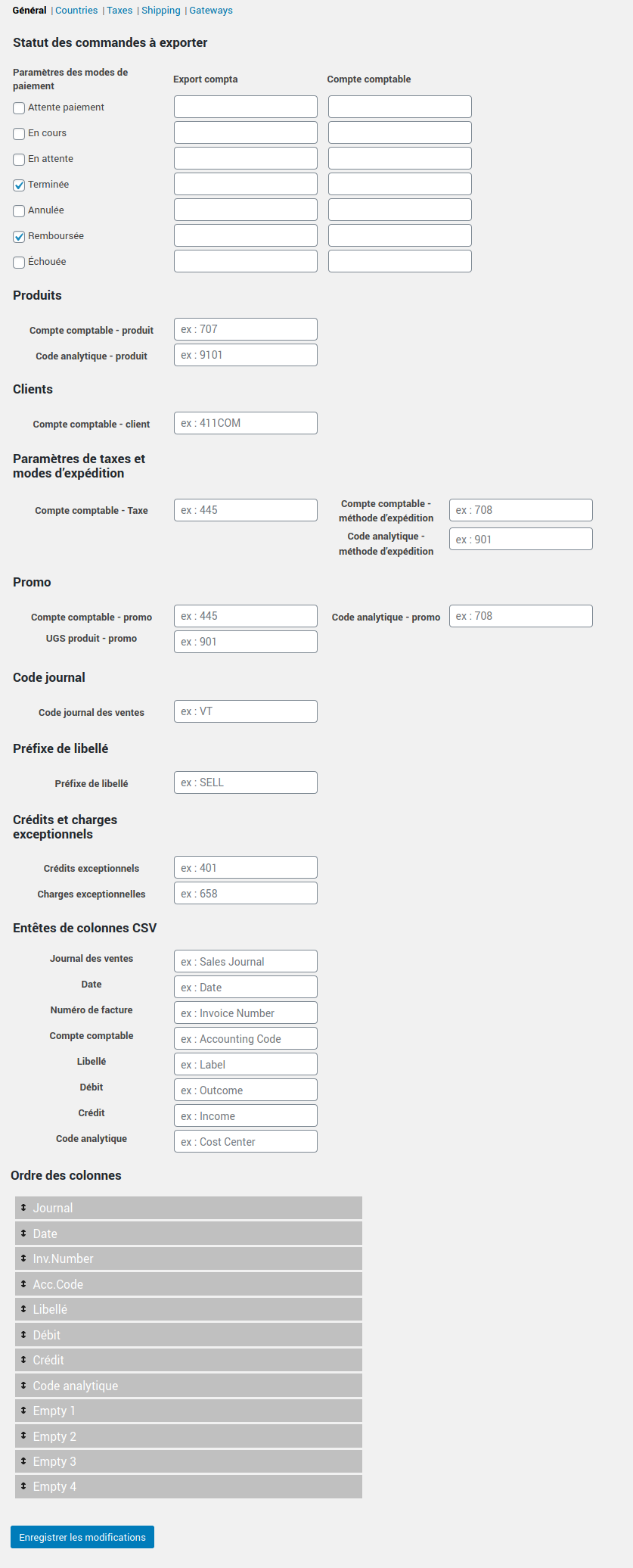
- Status of orders to export: for each order status, you can set a different Accounting account (Pending payment, In progress, Pending, Completed, Canceled, Refunded, Failed)
- For the Products, define an Accounting Account and a Analytical Code by default
- For the Clients, set a Default accounting account
- For taxes and shipping methods, set a default Accounting Account, as well as an analytical code for shipments
- For your Promotions, define an Accounting Account and an Analytical Code.
- For your Sales Journal Code
- For Exceptional credits and expenses, define a General ledger account.
1.3. Edit specific accounting codes
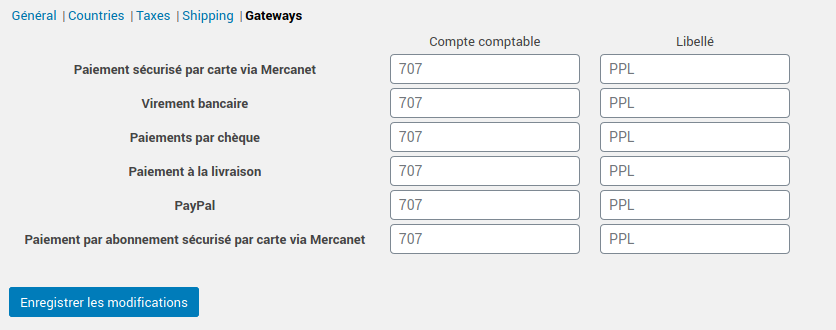
There are 5 tabs available, allowing you to edit the specific accounting codes for the different settings you have defined in WooCommerce:
- countries
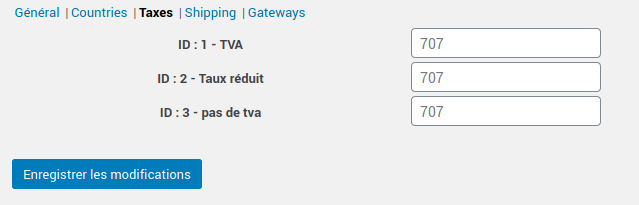
- taxes (types of VAT)
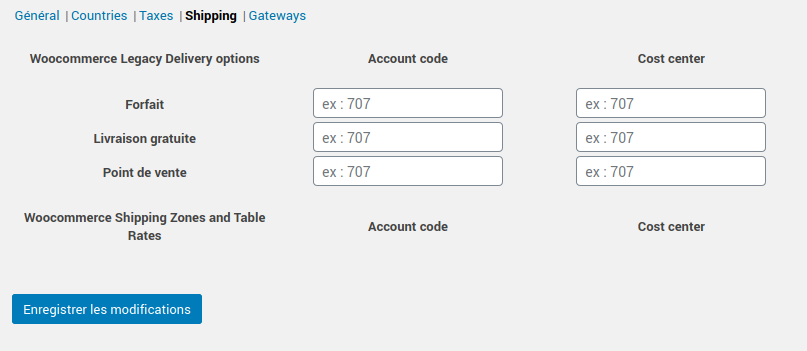
- shipping costs
- payment methods
1.4. In Pro version
First, define general accounting codes, as explained above.
Then, for each of your products, you can enter a accounting code and an analytic code.
Your accounts in detail
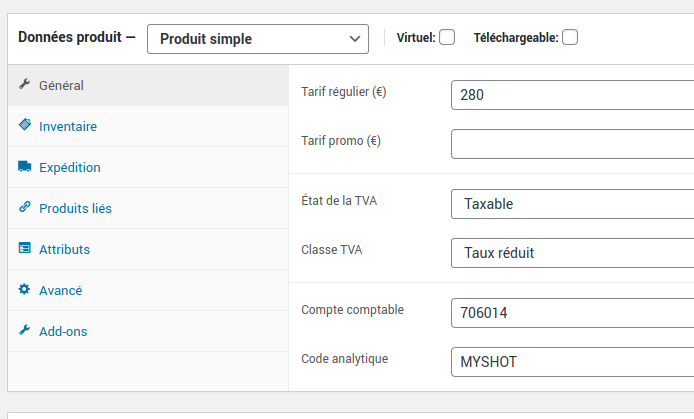
Integrate your detailed chart of accounts
Define detailed accounting codes for each product, taxes, shipping costs, payment methods, accounting ledger, analytical accounting codes.
We recommend using import software if you want to enter all values quickly—especially if you have a large product catalog. You can easily do this using import/export extensions for your data, such as WP All Import.
Configure the data to be exported to EBP accounting
Return to the settings for the « Accounting for WooCommerce » extension from the WordPress admin panel: « WooCommerce > Settings », then go to the « Accounting » tab.
At the bottom of the general settings page, you can define column headers from your export file, as well as their orders.
Export whatever you want to wherever you want!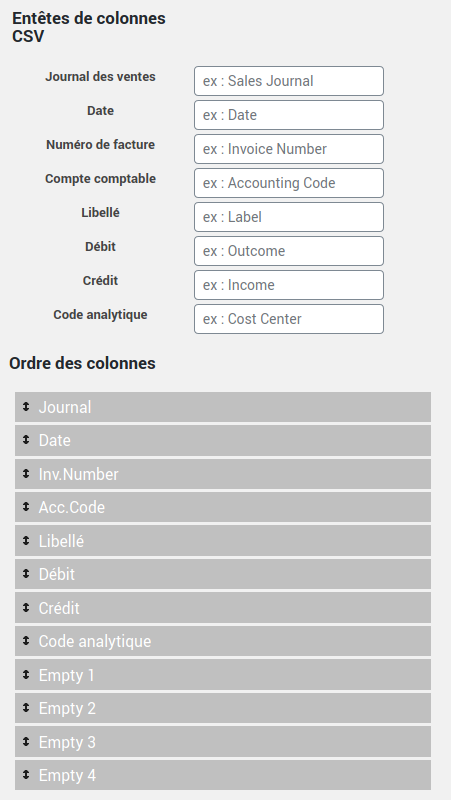
Export your entries from WooCommerce
To export your orders to your accounting software (EBP, Ciel, or other), simply go to « WooCommerce > Accounting Export ».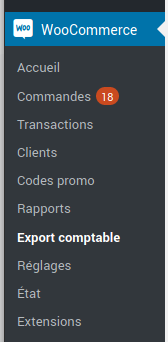
You can then choose what you want to export: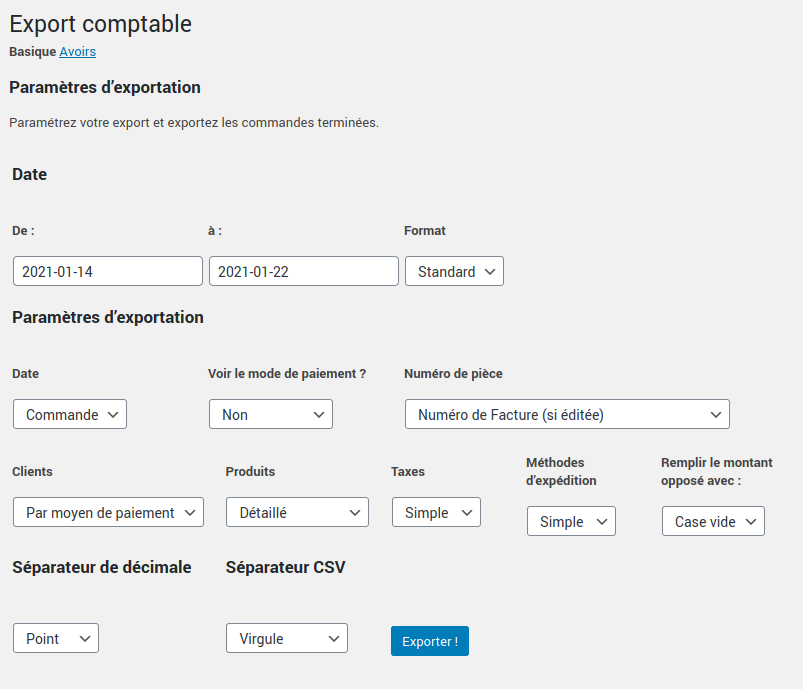
Here are all the export criteria you can configure:
• Start and end date of export, choosing the date format
• Date: of order, confirmation, payment, invoicing
• View payment method, or not
• Document number (invoice or order number)
• Customers (by customer or by payment method)
• Products (simple or detailed)
• Taxes (simple or detailed)
• Shipping methods (simple or detailed)
• Fill in the opposite amount with: empty box or « 0 » (depending on your import preferences in your accounting software)
• Decimal separator type (period or comma)
• CSV separator (comma, semicolon, or tab [used for TSV format])
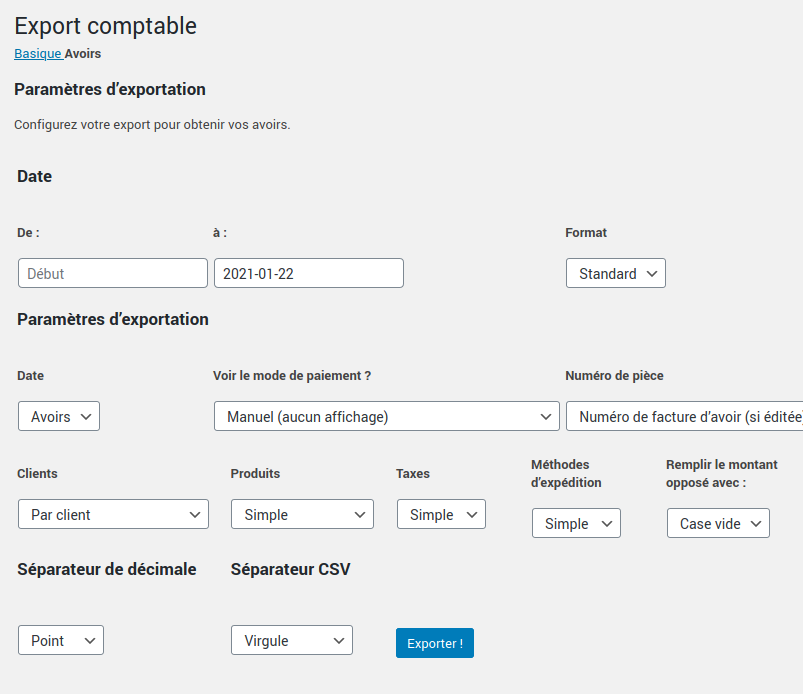
3.1. Export your assets
You can also export your credit notes to your accounting software by clicking on the « Credit Notes » tab (at the top of the page).
Import your file into EBP Accounting
Sur EBP Accounting, you can then import your file.
To do this, simply follow this tutorial on the EBP.com website. If you are on a Mac, follow this tutorial.
Would you like to know more ?
Come to view product sheet !

You are using our plugin and you have questions ?
Read ou online documentation and FAQ
Discover our tutorials

Discover how to hide categories and products for Woocommerce
Voir la fiche produit Prenez le plein contrôle de votre Woocommerce Avec Masquer les catégories et produits pour Woocommerceaccédez en un instant…

Generate your tax receipts on WooCommerce and CiviCRM
Voir la fiche produit Lire la documentation Notre extension va vous permettre d’éditer rapidement et simplement vos reçus fiscaux de l’année ! C’est…

Create a layout with Elegant WPC Product Bundles
Voir la fiche produit 1Accéder à Produits > Ajouter. 2Dans les données du produits sélectionner « Lot intelligent ». 3Accéder au sous-menu « Elegant WPC Product…
Comment exporter vos commandes WooCommerce vers EBP Comptabilité avec « Comptabilité
Do you have a WooCommerce online store and want to export your completed orders to your accounting software? Here’s how to do it!
How to use Gutenberg for WordPress?
Pour faciliter votre utilisation de WordPress, nous vous avons réalisé un top 5 des meilleurs tutoriels du net ! Attention, certaines…